Spiral FM art
One continuous path
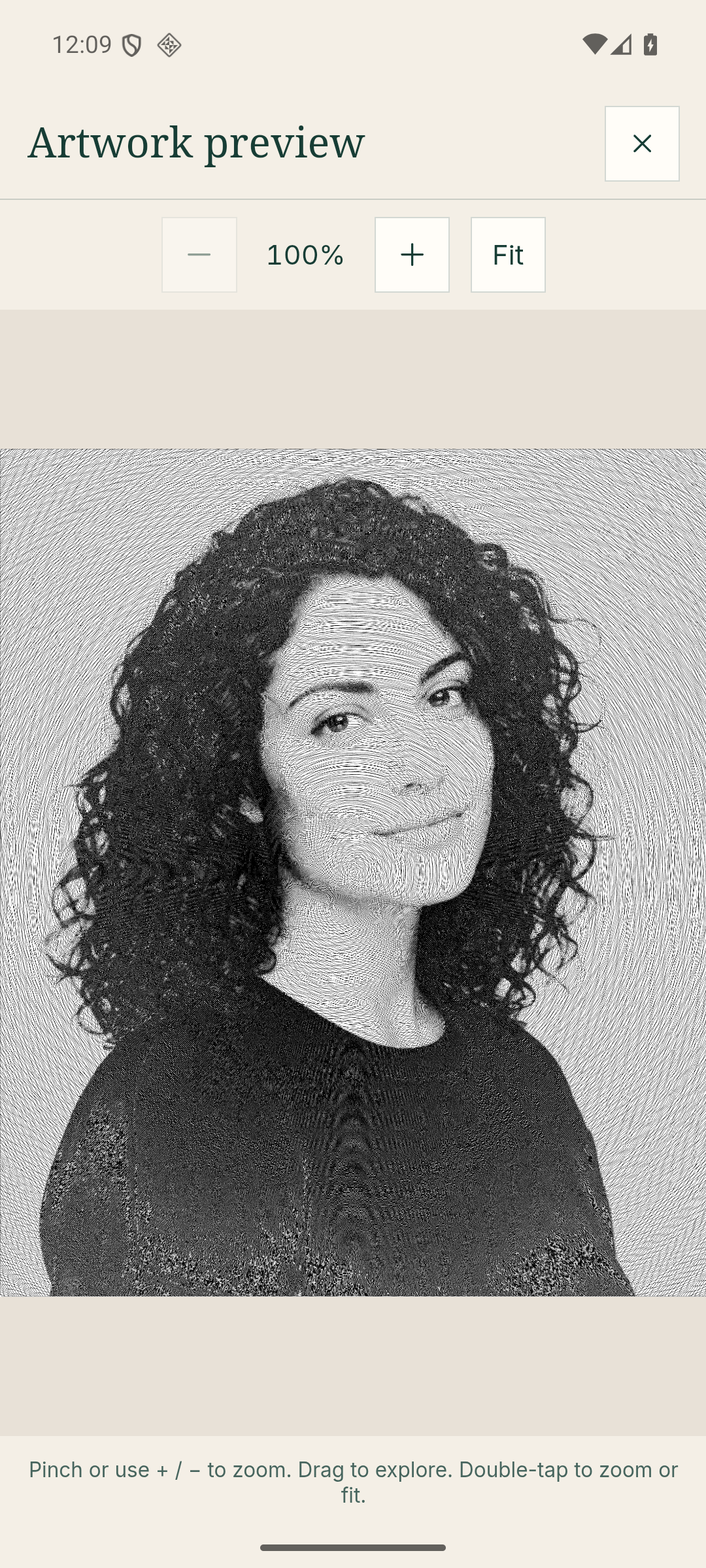
A center-out spiral reads the photograph as it turns. Dark tones tighten the line’s vibration while light areas let it breathe.
Explore this stylePhoto-to-vector creative studio
Convert a photo to SVG art. Remove the background, choose a drawing language, and shape the result with controls for detail and character. Download a real, editable SVG when it feels right.
Now on Android
Take Algorithmic Ink beyond the browser. Turn your photos into art with 15 drawing styles, keep a collection on your device, and export images, editable SVGs or drawing films.
Android app sold separately. The four-style web studio below remains free to use.
Your turn
Start with one clear subject. The first photo downloads a 44 MB vision model once; later visits use the browser cache.
Four drawing styles, one editable SVGFor the best result: use one clear subject with good contrast and room around the edges.
The collection
Every result is generated from geometry—not a filter pasted over pixels.
One continuous path
A center-out spiral reads the photograph as it turns. Dark tones tighten the line’s vibration while light areas let it breathe.
Explore this styleAdaptive vector outlines
Image tone controls each circle’s size and spacing. Shadows gather fine rings; highlights open into larger, quieter shapes.
Explore this styleA restless pen line
A continuous seeded path keeps returning to unresolved dark areas, building detail with tight loops and broader curves.
Explore this styleTone-fitted mesh lines
Adaptive points collect around shadows and edges, then a Delaunay mesh connects them while bright regions stay deliberately simple.
Explore this styleClean vector strokes with no embedded photograph.
Open the SVG in Illustrator, Figma, Inkscape, or a browser.
Reuse a seed and settings to explore controlled variations.
See the algorithms in motion
Real portraits, drawn line by line. Explore spiral, scribble, and triangle experiments from the Algorithmic Ink channel.
Videos connect to YouTube only when you press play.
From pixels to paths
Portrait, pet, or object—JPEG, PNG, or WebP up to 15 MB.
A compact vision model isolates the subject and creates a clean canvas for the drawing.
Tone and edges guide the selected algorithm. Detail and a repeatable seed keep you in control.
Download editable paths and shapes for design software, the web, or a pen plotter.
A note on privacy
Your source image is decoded, segmented, and drawn in browser memory. There is no upload endpoint, account, or image history. Replace the picture or close the tab and the working data is gone.
We use Google Analytics to understand visits and site usage. Google receives usage and device information and may set analytics cookies. Your photographs and generated artwork are not included in analytics events.
Meet the builder
Algorithmic Ink is my exploration of image processing, generative geometry, and the engineering needed to turn them into a tool anyone can try. The public studio brings four drawing algorithms together in one photo-to-SVG workflow.
Explore the architecture and tradeoffs behind the project, or connect with me about engineering management and staff engineering opportunities.
One picture. One algorithm. One original.